Have you ever wished there was a faster way to shutdown your Windows 2k/XP/2003/Vista/7 computer system? I mean instantly shut it down! Now you can! Just install Super Fast Shutdown and click on one of the desktop icons created to reboot or shutdown
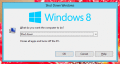
Free Quick Shutdown Software Utility to Shutdown Windows Computer Quickly. Launch the Quick Shutdown Utility from Desktop Shortcut or Global Configure Keyboard Shortcut to Launch the Windows Shutdown Screen.
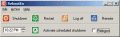
Shutdown8 is a simple program that very simply allows you to add the shutdown button onto the taskbar and select the Shut down, Log off, Restart, Sleep or Hibernate menu. Users can also power off computers at a specified time with a shutdown timer.
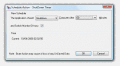
Advanced system utility for Windows NT/2000/XP operating systems that allows you to automatically shutdown, power off, remotely shut down, shutdown at a specific time, reboot and/or relogon to your computer.
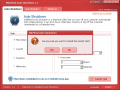
Auto Shutdown Windows 8 Software can quickly shutdown your computer. Moreover, you can schedule your system to turn off automatically whenever you wish without any harm to the other process on Windows Operating System
 HandyArchive